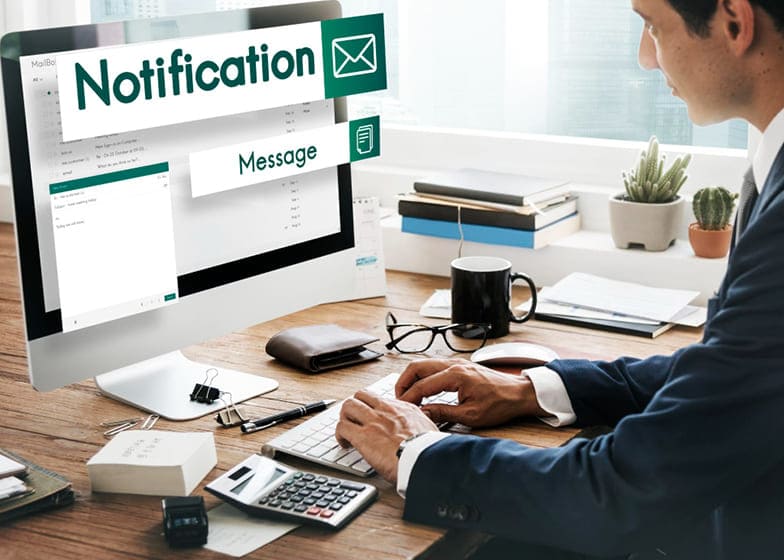



Become a Remote Office Assistant - $2,000 to $4,500 per month
Remote Office Assistants (ROAs) play a vital role in supporting businesses, entrepreneurs, and executives from a virtual environment. Their responsibilities span administrative tasks, scheduling, correspondence management, data entry, and digital organization, allowing companies to maintain smooth operations without needing in-office staff. With the rise of remote work and virtual teams, the demand for skilled Remote Office Assistants has grown significantly, offering professionals the opportunity to work from anywhere while providing essential administrative support.ROAs are not limited to traditional administrative duties; they often take on specialized roles such as project coordination, client communications, and workflow optimization.
Essential Skills Every Remote Office Assistant Must Master
Remote Office Assistants (ROAs) play a pivotal role in ensuring smooth virtual operations for businesses, entrepreneurs, and executives. Their effectiveness depends on a combination of administrative, technical, and interpersonal skills that allow them to manage tasks efficiently, communicate effectively, and support organizational goals. Mastering these skills enables ROAs to enhance productivity, maintain workflow continuity, and provide high-quality support in a remote environment.
Successful Remote Office Assistants are organized, tech-savvy, and proactive problem-solvers. They often handle multiple responsibilities simultaneously, from email and calendar management to document preparation, client communication, and data entry. Their skillset evolves with experience, ranging from foundational administrative abilities to advanced digital proficiency, workflow optimization, and project coordination. Below is a breakdown of essential skills at different experience levels:
1. Beginner Remote Office Assistant (Entry-Level)
Beginner-level assistants focus on fundamental administrative tasks while familiarizing themselves with remote workflows and essential tools.
Key Skills:- Basic email and calendar management
- Organizing files and maintaining digital records
- Data entry and document preparation
- Professional written and verbal communication
2. Intermediate Remote Office Assistant
Intermediate assistants handle more complex responsibilities, including task coordination, reporting, and communication with clients or team members.
Key Skills:- Project and task management using tools like Trello, Asana, or Monday.com
- Preparing reports, presentations, and spreadsheets
- Coordinating with multiple stakeholders and handling client communications
- Time management and prioritization of tasks
3. Advanced / Specialized Remote Office Assistant
Advanced assistants manage high-level administrative operations, workflow optimization, and strategic support across virtual teams.
Key Skills:- Handling sensitive or confidential information with discretion
- Optimizing workflows and automating repetitive tasks
- Using advanced productivity tools (CRM, cloud platforms, collaboration software)
- Providing support for project management, executive assistance, or client relations
- Training and mentoring junior remote assistants
4. Additional Skill Boosters
Remote Office Assistants can further enhance their value by developing advanced digital, organizational, and communication skills.
Additional Skills Include:- Mastering collaboration tools like Slack, Zoom, or Microsoft Teams
- Improving document automation and digital organization techniques
- Implementing time-tracking and productivity monitoring tools
- Developing problem-solving, negotiation, and stakeholder management abilities
Tools & Software Every Remote Office Assistant Should Know
Remote Office Assistants (ROAs) rely on a variety of digital tools and software to manage tasks efficiently, communicate effectively, and support business operations. Familiarity with the right tools not only streamlines workflows but also enhances productivity, organization, and collaboration in a remote environment. Mastering these tools ensures that ROAs can handle multiple responsibilities seamlessly and meet the expectations of their clients or employers.
Successful Remote Office Assistants are tech-savvy, adaptable, and quick learners. They often work across different platforms for communication, project management, data handling, and scheduling. Knowledge of these tools can make the difference between a good ROA and a highly efficient one. Below is a breakdown of essential tools and software for different levels of experience:
1. Beginner Remote Office Assistant (Entry-Level)
Beginner ROAs focus on foundational tools for basic communication, document management, and scheduling.
Essential Tools:- Email platforms like Gmail or Outlook for professional correspondence
- Basic word processing and spreadsheet tools (Google Docs, Microsoft Word, Excel, or Google Sheets)
- Calendar and scheduling tools (Google Calendar, Microsoft Calendar)
- Simple task management apps (Todoist, Google Tasks)
2. Intermediate Remote Office Assistant
Intermediate ROAs use more advanced tools for project management, collaboration, and reporting.
Essential Tools:- Project management software like Trello, Asana, or Monday.com
- Cloud storage and collaboration platforms (Google Drive, Dropbox, OneDrive)
- Video conferencing and virtual meeting tools (Zoom, Microsoft Teams, Google Meet)
- Time tracking and productivity apps (Toggl, Clockify)
3. Advanced / Specialized Remote Office Assistant
Advanced ROAs manage complex workflows, automation, and client or team coordination using specialized tools.
Essential Tools:- Customer Relationship Management (CRM) software like HubSpot, Zoho, or Salesforce
- Advanced project management and collaboration tools (ClickUp, Jira, Basecamp)
- Automation tools like Zapier or Integromat for streamlining repetitive tasks
- Data visualization and reporting tools (Tableau, Google Data Studio, Microsoft Power BI)
- Secure communication tools for sensitive information (Slack, Signal, ProtonMail)
4. Additional Tools & Enhancements
ROAs can further boost efficiency by mastering tools that improve digital organization, automation, and productivity.
Additional Tools Include:- Note-taking and knowledge management apps (Notion, Evernote, OneNote)
- Password management software (LastPass, 1Password)
- Graphic or content creation tools for basic design tasks (Canva, Crello)
- Advanced spreadsheet or database tools (Airtable, Smartsheet)
Core Responsibilities of a Remote Office Assistant
Remote Office Assistants (ROAs) play a crucial role in supporting businesses, entrepreneurs, and teams by managing administrative, organizational, and operational tasks remotely. Their work ensures smooth office operations, timely communication, and efficient handling of daily tasks. Mastering these responsibilities allows ROAs to contribute significantly to business productivity and client satisfaction.
Successful Remote Office Assistants are organized, tech-savvy, and proactive problem-solvers. They often manage schedules, handle emails, prepare reports, and coordinate projects while working independently or with virtual teams. Responsibilities vary depending on experience and role complexity. Below is a detailed breakdown of core responsibilities at different experience levels:
- Email and Communication Management: Monitor and respond to emails, schedule meetings, and ensure timely follow-ups to keep operations running smoothly.
- Calendar and Schedule Coordination: Manage calendars, appointments, and deadlines for executives or teams, ensuring no conflicts or missed commitments.
- Document and File Organization: Create, organize, and maintain digital files, reports, presentations, and spreadsheets for easy access and reference.
- Data Entry and Reporting: Input, update, and manage data accurately in spreadsheets, CRMs, or other databases; generate reports as needed for decision-making.
- Project Coordination: Assist in planning, tracking, and coordinating projects, ensuring tasks are completed on time and objectives are met.
Time Management Tips for Remote Office Assistants
Remote Office Assistants often face challenges that can affect productivity, task completion, and overall work efficiency if time is not managed effectively. Poor time management can result in missed deadlines, delayed responses to clients, overlooked tasks, and increased stress. Understanding common time management pitfalls and implementing best practices ensures that Remote Office Assistants can handle multiple responsibilities efficiently while maintaining high-quality work.
Successful Remote Office Assistants proactively manage their schedules, prioritize tasks, and leverage productivity tools to optimize their workflow. They plan their day effectively, track task progress, and allocate time for both urgent and long-term projects. Below is a list of common time management challenges and strategies to overcome them:
- Procrastination: Break tasks into smaller, manageable steps and use techniques like the Pomodoro method to stay focused and maintain momentum.
- Poor Prioritization: Identify high-priority tasks, create daily to-do lists, and focus on completing the most important work first to ensure deadlines are met.
- Overcommitting: Set realistic workloads, communicate capacity to clients or supervisors, and avoid taking on too many tasks simultaneously.
- Distractions and Interruptions: Minimize distractions by creating a dedicated workspace, using noise-cancelling tools, and scheduling focused work blocks.
- Lack of Scheduling: Maintain a structured calendar, set reminders for deadlines, and allocate specific time slots for recurring tasks to stay organized and on track.
How Much You Can Earn?
Remote Office Assistants enjoy flexible earning potential depending on their skills, experience, and the complexity of administrative and operational tasks they handle. Entry-level assistants typically manage basic email handling, scheduling, and data entry, earning on the lower end of the pay scale. Experienced Remote Office Assistants who handle full office management, client communication, project coordination, and specialized administrative tasks can command higher rates. With the increasing adoption of remote work, skilled assistants can build a steady and growing income stream.
Your income as a Remote Office Assistant depends on whether you are paid hourly, per project, or manage multiple clients. Many also increase earnings by offering additional services such as bookkeeping, social media management, or workflow automation. Below is a detailed breakdown of typical earning levels and factors influencing each range:
1. Beginner Remote Office Assistant (Entry-Level)
Beginner-level assistants focus on foundational administrative tasks such as email management, scheduling, and basic data entry.
Typical Earnings:- $10 - $15 per hour
- $200 - $600 per project (simple administrative tasks)
- $500 - $1,500 per month (part-time)
2. Intermediate Remote Office Assistant
Intermediate assistants handle more complex tasks including project coordination, client communication, document preparation, and reporting.
Typical Earnings:- $15 - $22 per hour
- $500 - $1,500 per project (medium-complexity tasks)
- $1,500 - $3,500 per month (depending on workload and responsibilities)
3. Advanced / Specialized Remote Office Assistant
Advanced assistants manage full office operations, including workflow optimization, advanced reporting, client management, and automation of business processes.
Typical Earnings:- $22 - $35+ per hour
- $1,000 - $3,000+ per project (complex or high-volume tasks)
- $3,000 - $6,000+ per month (with multiple clients or high-value responsibilities)
4. Additional Income Boosters
Remote Office Assistants can further increase earnings by offering value-added services, specialized tools expertise, or full-service office management.
Common Income Boosters Include:- Providing bookkeeping, invoicing, and financial record management
- Handling project management tools, workflow automation, and reporting dashboards
- Managing client communication, support, and follow-ups
- Offering specialized services like CRM management, social media support, or virtual event coordination