

Become a Email Support Virtual Assistant - $10 to $25 per hour
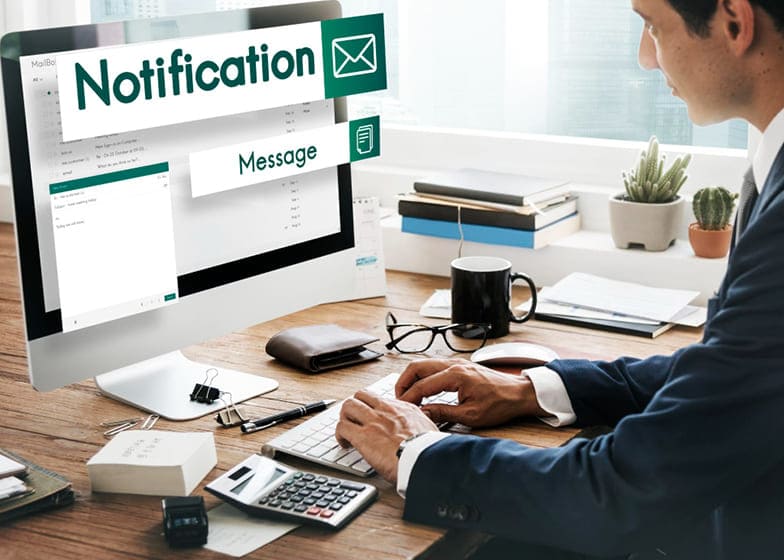
Email Support Virtual Assistants (VAs) are professionals who specialize in managing email communications on behalf of businesses, entrepreneurs, or organizations. They ensure that incoming emails are promptly responded to, inquiries are resolved efficiently, and important messages are prioritized. By handling customer support, client queries, and internal communications via email, Email Support VAs help businesses maintain a professional image, improve response times, and foster stronger relationships with clients and stakeholders.The demand for Email Support VAs is growing as businesses increasingly rely on remote teams and digital communication.
Core Responsibilities of an Email Support Virtual Assistant
Email Support Virtual Assistants (VAs) play a crucial role in managing business communication by handling email inquiries, responding to clients, and maintaining organized inbox systems. Their work ensures that messages are addressed promptly, important emails are prioritized, and customers receive timely and professional responses. By effectively managing email communication, Email Support VAs help businesses maintain strong client relationships, reduce response time, and improve overall workflow efficiency.
Successful Email Support VAs combine organizational skills, clear communication, and attention to detail. They often handle multiple client accounts, manage high volumes of emails, and adapt to various communication styles. Responsibilities can vary depending on experience and specialization, ranging from basic email responses to advanced client support and inbox management. Below is a breakdown of key responsibilities at different experience levels:
1. Beginner Email Support VA (Entry-Level)
Beginner-level Email Support VAs focus on handling routine email tasks, learning client preferences, and maintaining basic inbox organization.
Key Responsibilities:- Responding to general customer inquiries and support requests
- Organizing inbox folders and managing email labels
- Forwarding emails to relevant team members when necessary
- Following standard response templates and guidelines
2. Intermediate Email Support VA
Intermediate Email Support VAs handle more complex email communication, provide timely follow-ups, and assist in managing client relationships through email.
Key Responsibilities:- Drafting and sending professional email responses tailored to client needs
- Prioritizing urgent emails and ensuring timely follow-ups
- Managing multiple email accounts or shared inboxes
- Assisting with email marketing campaigns or newsletters
3. Advanced / Specialized Email Support VA
Advanced Email Support VAs manage high-volume or high-priority inboxes, handle sensitive client communications, and coordinate with other teams for complex requests.
Key Responsibilities:- Managing VIP or executive-level email accounts
- Handling confidential or sensitive information with discretion
- Creating and improving email response workflows and templates
- Analyzing email trends to improve response times and client satisfaction
4. Additional Responsibilities & Skill Enhancements
Email Support VAs can increase their value by learning advanced email tools, automation, and client relationship strategies.
Additional Responsibilities Include:- Using email management software (Gmail, Outlook, Helpdesk tools, etc.) effectively
- Automating responses with tools like Zapier, Mailshake, or HubSpot
- Maintaining high levels of professionalism and customer service etiquette
- Supporting process improvements and creating internal email management guidelines
Tools & Software Every Email Support VA Should Know
Email Support Virtual Assistants (VAs) rely on a variety of tools and software to manage inboxes, respond efficiently to clients, organize communication, and maintain high levels of customer satisfaction. Familiarity with these tools enables VAs to automate repetitive tasks, track messages, prioritize emails, and provide timely responses. By leveraging modern email and productivity tools, Email Support VAs can enhance workflow efficiency, improve accuracy, and ensure professional communication at all times.
- Email Platforms & Clients: Gmail, Outlook, Yahoo Mail, and Apple Mail to send, receive, and organize messages effectively.
- Helpdesk & Ticketing Systems: Zendesk, Freshdesk, Help Scout, and Groove to manage customer inquiries, track support tickets, and maintain organized client communication.
- Communication & Collaboration Tools: Slack, Microsoft Teams, Zoom, and Google Meet for instant messaging, team collaboration, and handling email-related discussions.
- Productivity & Office Suites: Google Workspace (Docs, Sheets, Drive) and Microsoft Office (Word, Excel, PowerPoint) for drafting emails, creating reports, and organizing information.
- Email Automation & CRM Tools: HubSpot, Mailchimp, ActiveCampaign, and Salesforce for automating responses, tracking client interactions, and maintaining professional email campaigns.
Common Mistakes Email Support VAs Make and How to Avoid Them
Email Support Virtual Assistants (VAs) play a critical role in managing client communications, resolving queries, and maintaining high levels of customer satisfaction. However, mistakes in email handling can lead to delayed responses, miscommunication, or unhappy clients. Common errors include missing follow-ups, mismanaging multiple inboxes, sending incorrect information, or failing to maintain a professional tone. Recognizing these pitfalls and applying best practices ensures efficient email support and strengthens client trust.
Successful Email Support VAs proactively organize their inboxes, prioritize urgent messages, and communicate clearly. They leverage tools and strategies to manage high volumes of email, track client interactions, and ensure timely responses. Below is a breakdown of frequent mistakes Email Support VAs make and strategies to avoid them:
1. Beginner Email Support VA (Entry-Level)
Beginner VAs may struggle with email organization, basic response etiquette, and managing multiple client accounts simultaneously.
Common Mistakes:- Poor inbox organization leading to missed or delayed emails — use folders, labels, and flags to categorize messages.
- Generic or unclear responses — always personalize emails and ensure clarity in communication.
- Failing to prioritize urgent messages — use priority markers or tools to highlight important emails.
- Overlooking follow-ups — maintain a checklist or reminders for pending tasks.
2. Intermediate Email Support VA
Intermediate VAs handle more complex client interactions and may face challenges with workflow efficiency and multi-client management.
Common Mistakes:- Mixing up client information or sending emails to the wrong recipient — double-check details before sending.
- Inconsistent tone or messaging — maintain professional and brand-aligned communication for all clients.
- Ignoring automation tools — leverage canned responses, templates, and email rules to save time.
- Delays in escalation — know when to forward urgent issues to supervisors or relevant departments.
3. Advanced / Specialized Email Support VA
Advanced VAs often manage high volumes of communication, integrations with CRMs, and strategic email campaigns, where mistakes can impact business reputation.
Common Mistakes:- Neglecting analytics and reporting — monitor response times, client satisfaction, and open rates to improve performance.
- Poor handling of sensitive or confidential information — follow data privacy protocols strictly.
- Failing to adapt templates or automation for changing scenarios — regularly update workflows to match current client needs.
- Overlooking multi-channel communication — ensure email aligns with other client touchpoints like chat or ticketing systems.
4. Additional Strategies to Avoid Mistakes
Email Support VAs can further minimize errors by enhancing organization, communication, and technical proficiency.
Strategies Include:- Using email management and CRM tools like Zendesk, Freshdesk, or HubSpot to streamline responses.
- Regularly reviewing and updating email templates and automation rules.
- Setting up clear SOPs for handling common inquiries and escalation procedures.
- Continuous training on professional communication, brand voice, and customer service best practices.
How Much You Can Earn?
Email Support Virtual Assistants (VAs) have competitive earning potential depending on their experience, efficiency, and the complexity of tasks they manage. Entry-level Email Support VAs typically handle basic customer inquiries, ticket management, and email organization, earning on the lower end of the pay scale. Experienced VAs who manage multiple inboxes, complex client communications, automated workflows, and reporting can command higher rates. With the increasing reliance on email as a primary communication channel, skilled Email Support VAs are in strong demand and can establish a steady income.
Your income as an Email Support VA depends on whether you work hourly, handle multiple client accounts, provide full-service inbox management, or offer specialized services such as CRM integration or customer feedback analysis. Many VAs increase earnings by taking on multiple clients, offering retainer packages, or providing high-value consulting. Below is a detailed breakdown of typical earning levels for Email Support VAs:
1. Beginner Email Support VA (Entry-Level)
Beginner VAs manage foundational email support tasks such as responding to basic queries, organizing inboxes, and learning client communication workflows.
Typical Earnings:- $10 - $15 per hour
- $400 - $1,200 per month (part-time)
- $800 - $2,000 per month (full-time)
2. Intermediate Email Support VA
Intermediate VAs handle more advanced responsibilities, including multi-client inbox management, ticket escalation, reporting, and workflow optimization.
Typical Earnings:- $15 - $20 per hour
- $1,500 - $3,500 per month (depending on workload and clients)
- Higher earnings possible with multiple clients or ongoing support contracts
3. Advanced / Specialized Email Support VA
Advanced VAs manage high-volume inboxes, CRM integration, email campaigns, customer analytics, and strategic client communications.
Typical Earnings:- $20 - $25+ per hour
- $3,500 - $6,000+ per month (with multiple clients or premium services)
- Even higher earnings for specialized roles in CRM management, workflow automation, or client retention strategies
4. Additional Income Boosters
Email Support VAs can further increase earnings by offering premium services, specialized support, or packaged email management solutions.
Common Income Boosters Include:- Managing multiple client inboxes or support systems simultaneously
- Implementing and managing CRM or helpdesk software (Zendesk, Freshdesk, HubSpot)
- Providing reporting, analytics, and insights to improve client communications
- Creating email templates, workflows, and automation to streamline client operations