

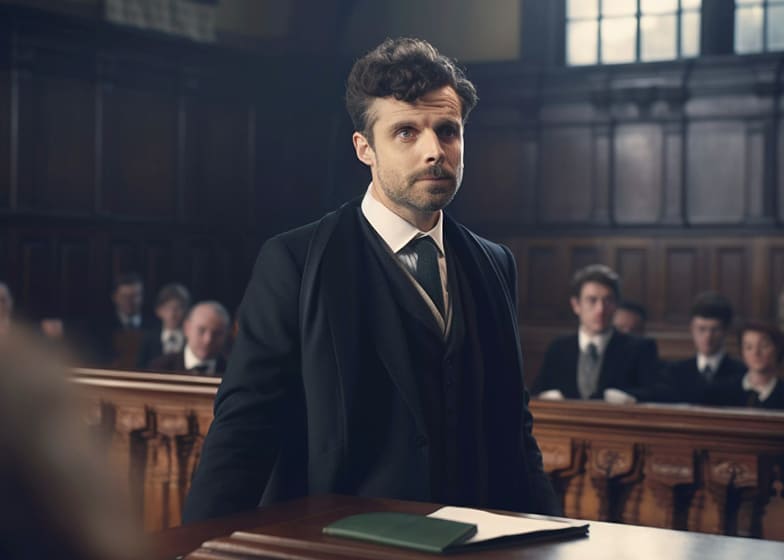
Become an Courtroom Captioner - $400 to $900 per day
Courtroom captioning is a specialized form of transcription that provides real-time or post-session text for legal proceedings. Courtroom captioners are responsible for converting spoken dialogue from judges, attorneys, witnesses, and other participants into accurate, readable text. Their work ensures that every statement is documented and accessible, supporting transparency, legal records, and accessibility for individuals with hearing impairments. This role requires a deep understanding of legal terminology, exceptional typing speed, and the ability to focus under high-pressure, live conditions.The demand for courtroom captioners is growing as courts increasingly rely on digital records, live streaming, and accessible transcripts.
Essential Skills Every Courtroom Captioner Must Master
To succeed as a courtroom captioner, you need a combination of technical proficiency, linguistic accuracy, and quick thinking. This role goes beyond basic transcription—it requires capturing speech in real time, understanding complex legal terminology, and ensuring every statement is accurately represented in the official record. Mastering these skills ensures transcripts are reliable, professional, and legally compliant.
- Exceptional Typing Speed & Accuracy: Courtroom captioners must type quickly without errors to keep up with live proceedings.
- In-Depth Legal Vocabulary Knowledge: Understanding legal terminology, courtroom procedures, and case-specific language is essential for precise transcription.
- Strong Listening & Comprehension Skills: Capturing every spoken word, even when multiple speakers talk at once, requires excellent auditory attention and focus.
- Real-Time Captioning Expertise: Courtroom captioners often provide live captions, so proficiency with stenography or real-time transcription software is critical.
- Attention to Detail & Consistency: Small errors in names, dates, or legal terms can affect case records. Accuracy and consistency are non-negotiable.
Key Responsibilities of a Courtroom Captioner
Courtroom captioners play a critical role in ensuring that legal proceedings are accurately documented in real time. Their work goes beyond simple transcription—they must capture dialogue precisely, maintain legal terminology, and provide reliable captions or transcripts that serve as official records. Understanding these responsibilities helps captioners perform their duties with accuracy, professionalism, and efficiency.
Below are the primary responsibilities of a courtroom captioner:
1. Real-Time Transcription of Court Proceedings
Courtroom captioners transcribe spoken dialogue as it happens, capturing every statement from judges, attorneys, witnesses, and jurors.
How It’s Done:- Use stenography machines or real-time transcription software
- Type quickly and accurately to keep pace with the proceedings
- Ensure all spoken words, including legal terminology, are correctly recorded
2. Maintain Accuracy of Legal Terminology
Legal proceedings involve specialized vocabulary and case-specific language that must be transcribed precisely.
How It’s Done:- Familiarize with legal terms, procedures, and courtroom roles
- Double-check names, dates, and case references
- Use glossaries or reference materials when necessary
3. Produce Official Transcripts & Captions
Beyond real-time captioning, courtroom captioners prepare accurate transcripts for official records, court filings, or public access.
How It’s Done:- Edit and format transcripts according to court standards
- Include speaker identification and timestamps when required
- Proofread for consistency and accuracy before submission
4. Ensure Confidentiality & Professional Conduct
Courtroom captioners handle sensitive legal information and must uphold ethical standards.
How It’s Done:- Maintain strict confidentiality of all court content
- Follow courtroom protocols and professional guidelines
- Remain neutral and unbiased while performing duties
5. Assist with Accessibility
Courtroom captioners also provide accessibility services for participants who are deaf or hard of hearing.
How It’s Done:- Deliver accurate live captions that match speech in real time
- Use technology to integrate captions for courtroom screens or remote participants
Tools & Software Every Courtroom Captioner Should Use
Courtroom captioners rely on specialized tools and software to accurately capture spoken dialogue in real time and produce official transcripts. The right technology enhances typing speed, ensures precise timing, and helps manage complex legal terminology. Familiarity with these tools is crucial for maintaining professionalism and delivering accurate, reliable transcripts and captions.
Below are some of the essential tools and software used by courtroom captioners:
1. Stenography Machines
Stenography machines are the cornerstone of real-time court transcription, allowing captioners to type at speeds exceeding normal keyboard typing.
Key Features:- Chorded key system for high-speed input
- Real-time translation to readable text
- Integration with captioning and transcript software
2. Real-Time Transcription Software
Software like Case CATalyst, Eclipse, or ProCAT converts stenotype input into readable text instantly for live captions.
Benefits:- Immediate display of captions during proceedings
- Supports speaker identification and timestamps
- Customizable dictionaries for legal terms
3. Courtroom Captioning Systems
These systems display live captions on monitors for judges, jurors, attorneys, and participants who are deaf or hard of hearing.
Key Features:- Integration with real-time transcription software
- Adjustable font size and display settings
- Support for remote participants via video conferencing tools
4. Audio Enhancement Tools
High-quality audio is essential for accurate transcription, and courtroom captioners use tools to enhance audio clarity.
Examples:- Noise-canceling headphones
- Microphone systems with adjustable gain
- Audio editing software to improve recording clarity
5. Transcript Formatting & Editing Software
After live captioning, courtroom captioners finalize official transcripts using specialized editing tools.
Examples:- Microsoft Word with legal formatting templates
- Adobe Acrobat for PDF creation and secure sharing
- Integrated proofreading and spell-check features for legal terminology
Common Mistakes Courtroom Captioners Make & How to Avoid Them
Courtroom captioners play a critical role in ensuring accurate and accessible legal records. However, even experienced professionals can make mistakes that impact the clarity, accuracy, and legality of transcripts. Understanding common pitfalls and strategies to avoid them helps captioners maintain high standards and deliver reliable results.
Below are common mistakes courtroom captioners make, along with ways to prevent them:
1. Mishearing or Misinterpreting Speech
Legal proceedings often include fast-paced dialogue, multiple speakers, and varying accents, which can lead to errors in transcription.
How to Avoid:- Use high-quality audio equipment and noise-canceling headphones
- Replay unclear sections to confirm exact wording
- Familiarize yourself with legal terminology and common case phrases
2. Failing to Accurately Identify Speakers
In courtroom settings, identifying who is speaking is crucial for an accurate transcript.
How to Avoid:- Assign consistent speaker labels (e.g., Judge, Witness 1, Attorney)
- Keep a speaker key or reference sheet for each case
- Clarify speaker identity immediately if uncertain
3. Poor Timing or Delayed Captions
Live captions must appear in real-time for accessibility; delays reduce usefulness and can confuse participants.
How to Avoid:- Practice real-time stenography or captioning techniques
- Use reliable software optimized for low-latency output
- Regularly calibrate equipment and test connections before proceedings
4. Inconsistent Formatting & Legal Notation
Inconsistent formatting, punctuation errors, or missing timestamps can compromise the professionalism of transcripts.
How to Avoid:- Follow standardized legal formatting and captioning guidelines
- Use software templates for consistent layout
- Proofread transcripts carefully before submission
5. Overlooking Confidentiality & Security
Courtroom transcripts often contain sensitive information; mishandling them can lead to legal repercussions.
How to Avoid:- Store transcripts in encrypted or secure locations
- Limit access to authorized personnel only
- Follow court rules and confidentiality agreements strictly
How Much You Can Earn?
Courtroom captioners can earn a substantial income depending on their experience, typing speed, accuracy, and familiarity with legal terminology. Earnings often vary by jurisdiction, court type, and whether you work freelance, contract, or full-time. Beginners typically start with smaller cases or support roles, while experienced captioners can command high rates for complex proceedings or high-profile trials.
1. Beginner Courtroom Captioner (Entry-Level)
Beginners usually start by assisting with smaller hearings, depositions, or training sessions. They may work under supervision to gain experience and become familiar with real-time captioning software and legal terminology.
Typical Earnings:- $400 - $500 per day
- $15 - $25 per hour
- $800 - $1,200 per week (part-time or occasional cases)
2. Intermediate Courtroom Captioner
Intermediate captioners handle full courtroom proceedings, including hearings, depositions, and trials with multiple participants. They are comfortable with real-time captioning and often manage multiple speakers efficiently.
Typical Earnings:- $500 - $700 per day
- $25 - $35 per hour
- $1,500 - $2,500 per week (regular assignments)
3. Advanced / Professional Courtroom Captioner
Experienced professionals manage complex trials, high-profile cases, and long-duration court proceedings. They deliver highly accurate, real-time captions and often train or supervise junior captioners.
Typical Earnings:- $700 - $900+ per day
- $35 - $50+ per hour
- $3,000 - $5,000+ per week (full-time high-profile work)
4. Additional Income Boosters
Courtroom captioners can increase earnings by offering specialized services or taking on additional responsibilities.
Common Income Boosters Include:- Real-time captioning for remote or virtual court proceedings
- Transcribing depositions, affidavits, and legal interviews
- Editing and proofreading transcripts for submission to courts
- Providing multilingual captioning if fluent in multiple languages
- Training junior captioners or offering QA services