

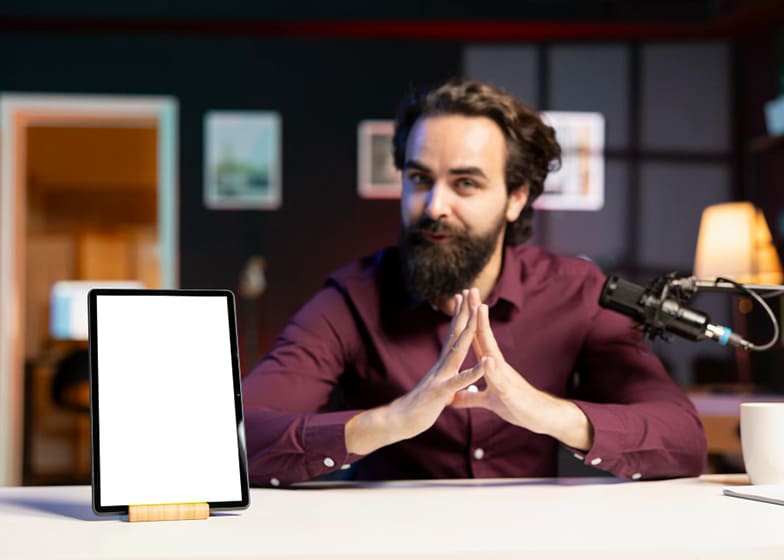
Become a Live Stream Host - $20 to $60 per hour
Live stream hosting has become one of the fastest-growing digital career paths, offering creators, presenters, and influencers the chance to connect with audiences in real time. As a live stream host, your role is to entertain, inform, and engage viewers while presenting content that feels natural, interactive, and dynamic. Whether hosting product reviews, gaming sessions, interviews, tutorials, lifestyle shows, or brand promotions, live hosts act as the face of the stream—guiding conversations, answering questions, and keeping the energy high throughout the broadcast.With more businesses moving toward real-time engagement, the opportunities for live stream hosts have expanded dramatically.
Essential Skills Every Live Stream Host Must Master
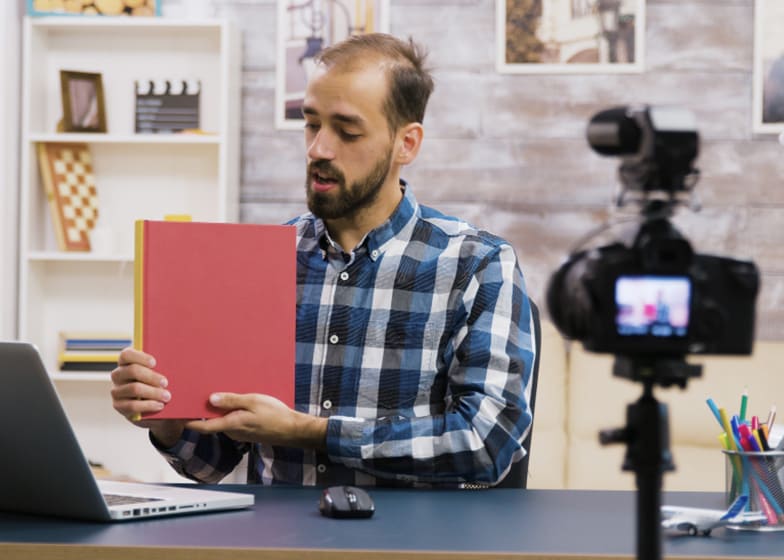
Live stream hosts must balance on-camera presence, audience engagement, and technical understanding to deliver smooth, professional, and entertaining live sessions. Whether hosting product demos, Q&A sessions, game streams, or branded shopping events, a live host needs strong communication skills, confidence, and the ability to think quickly in real time. Mastering these skills helps maintain viewer interest, boost engagement, and create high-performing streams that attract brands and loyal audiences.
Below are the essential skills every live stream host must master, along with tips on how to improve them:
1. Strong On-Camera Communication
Many new hosts speak too fast, sound unsure, or struggle with clear delivery, which makes the stream feel unprofessional.
How to Improve:- Practice speaking slowly and confidently
- Use simple language that’s easy to understand
- Maintain friendly tone and natural expressions
2. Audience Engagement & Interaction
Some hosts forget to engage viewers, making the stream feel one-sided and less interactive.
How to Improve:- Ask questions to encourage comments
- Respond to viewer messages in real time
- Use polls, shout-outs, and Q&A moments
3. Quick Thinking & Improvisation
Live streams don’t always go as planned—technical issues, unexpected questions, or pauses can disrupt the flow.
How to Improve:- Stay calm during surprises or tech glitches
- Prepare backup talking points
- Use humor or storytelling to fill gaps
4. Product Knowledge & Presentation Skills
Some hosts present products without fully understanding features, which reduces credibility.
How to Improve:- Study the product before going live
- Demonstrate features clearly and confidently
- Highlight benefits, not just specifications
5. Technical Setup & Streaming Basics
Poor lighting, low-quality audio, or unstable internet can ruin even the best content.
How to Improve:- Use stable lighting and an external microphone
- Check your internet connection before going live
- Experiment with angles and backgrounds for a clean setup
6. Time Management & Live Flow Control
New hosts often drag segments too long or rush through content, causing viewers to drop off.
How to Improve:- Create a stream outline with time blocks
- Use timers to stay on track
- Prioritize key moments to maintain audience peaks
Tools & Equipment Needed for Professional Live Streaming
To become a successful live stream host, having the right tools and equipment is essential for delivering high-quality, engaging broadcasts. Viewers expect clear video, crisp audio, and smooth streaming without glitches, and the right setup helps you maintain a professional presence. Whether you're hosting product demos, gaming sessions, Q&A sessions, or entertainment shows, investing in reliable gear significantly improves your stream’s overall production value and viewer engagement.
Professional live streaming doesn’t always require expensive equipment—you can start simple and upgrade as you grow. What matters most is choosing tools that fit your niche and content style. From cameras and microphones to lighting and software, each component plays a role in creating a polished final output. With the right setup, you can attract more viewers, build a strong online presence, and increase your earning potential as a live stream host.
- HD or 4K Camera: A quality webcam or DSLR/mirrorless camera ensures sharp, professional-looking video.
- External Microphone: Clear audio is crucial—USB and condenser mics dramatically improve sound quality.
- Ring Light or Softbox: Good lighting reduces shadows and highlights your face, making streams visually appealing.
- Reliable Internet Connection: A high-speed, stable connection prevents lag, buffering, and stream drop-outs.
- Streaming Software: Tools like OBS Studio, Streamlabs, or Ecamm Live help manage overlays, scenes, and effects.
Analyzing your live stream performance is essential for understanding what’s working, what needs improvement, and how to grow your audience effectively. Many live stream hosts focus only on going live but overlook important performance metrics such as viewer retention, engagement rate, audio/video quality, and conversion effectiveness. Without proper analysis, it becomes difficult to optimize your content or build a loyal audience. A consistent review of your analytics helps you make smarter decisions, refine your style, and create streams that perform better each time.
Below are the most important areas to evaluate when analyzing your live stream performance, along with proven tips to help you improve your results:
1. Low Viewer Retention
If viewers leave early, it often means the introduction is too slow, unclear, or not engaging enough. High drop-off rates signal that your content isn’t grabbing attention quickly.
How to Improve:- Start the stream with energy—avoid long silent intros
- Hook viewers in the first 10-15 seconds with a teaser of what’s coming
- Use clear, professional visuals from the start
2. Weak Audience Engagement
Low comments, likes, or interaction mean viewers may feel disconnected from the host or uninterested in the content flow.
How to Improve:- Ask questions during the stream to spark interaction
- Respond to comments in real time to build connection
- Use polls, quizzes, or shoutouts to keep viewers active
3. Poor Audio or Video Quality
Blurry video, low-light footage, or unclear audio can instantly reduce audience satisfaction and trust, even if your content is strong.
How to Improve:- Invest in a good microphone and stable lighting setup
- Ensure your internet connection is strong and consistent
- Run a test stream before going live
4. Inconsistent Stream Timing
Streaming irregularly confuses your audience and makes it harder for viewers to show up consistently, reducing average live attendance.
How to Improve:- Create a consistent live stream schedule
- Post reminders on social platforms before going live
- Use platform analytics to find peak viewer times
5. Lack of Clear Objectives
Some hosts go live without a plan, causing the stream to feel unorganized and leading to lower viewer satisfaction and conversion rates.
How to Improve:- Outline your stream structure (intro → main topic → CTA → closing)
- Set clear goals like engagement, clicks, or product sales
- Track these goals after each stream to measure progress
How Much You Can Earn?
Live Stream Hosts can earn a strong hourly income depending on their experience, niche, platform, and audience engagement. Since live streaming is used for entertainment, sales, gaming, education, and brand promotions, earning potential varies widely. Beginners typically work on smaller platforms or host casual streams, while advanced hosts partner with brands, manage high-viewership shows, or work with agencies—earning premium hourly rates and bonuses.
1. Beginner Live Stream Host (Entry-Level)
Beginners usually host simple streams such as casual chats, basic product demos, gaming sessions, or lifestyle conversations. Many start with small platforms or low-paying gigs while building confidence, on-camera presence, and viewer engagement skills.
Typical Earnings:- $20 - $30 per hour
- $200 - $500 per month (platform bonuses or low-tier gigs)
- Extra tips from viewers depending on engagement
2. Intermediate Live Stream Host
Intermediate hosts offer better presentation skills, structured content, and consistent streaming schedules. They often work with growing brands, e-commerce platforms, or entertainment pages and may host product showcases, interviews, or themed streams.
Typical Earnings:- $30 - $45 per hour
- $800 - $2,500 per month (brand deals + streaming income)
- Performance bonuses based on sales, views, or watch hours
3. Advanced / Professional Live Stream Host
Experienced hosts deliver high-energy, engaging, and polished live sessions. They often work with major brands, e-commerce companies, or media agencies. These hosts excel in sales streaming, entertainment hosting, and audience retention, allowing them to charge significantly higher rates.
Typical Earnings:- $45 - $60+ per hour
- $3,000 - $8,000+ per month (multiple brand partnerships)
- High commissions for product sales during live sessions
4. Additional Income Boosters
Live Stream Hosts can increase their earnings by expanding their services beyond basic hosting, offering more value to brands and platforms.
Common Income Boosters Include:- Sales commissions from e-commerce live streams
- Brand sponsorships and long-term ambassador deals
- Viewer tips, gifts, and platform reward bonuses
- Hosting special events, interviews, or product launches
- Creating paid tutorials or training for new streamers